
Solar Bird Feeder with Camera & AI Bird Recognition
-
Free worldwide shipping over $40
-
Free returns
-
Carbon neutral
-
Secure payments
A LITTLE CLOSER TO THE WILD
Your garden.
A new story every day.
A quiet breakfast on the perch. A curious visitor you have never seen before. Bring those small moments to your phone with a solar-powered feeder, a close-up camera and bird-arrival alerts.
Requires 2.4GHz Wi-Fi. AI recognition and video services have separate activation and subscription conditions.
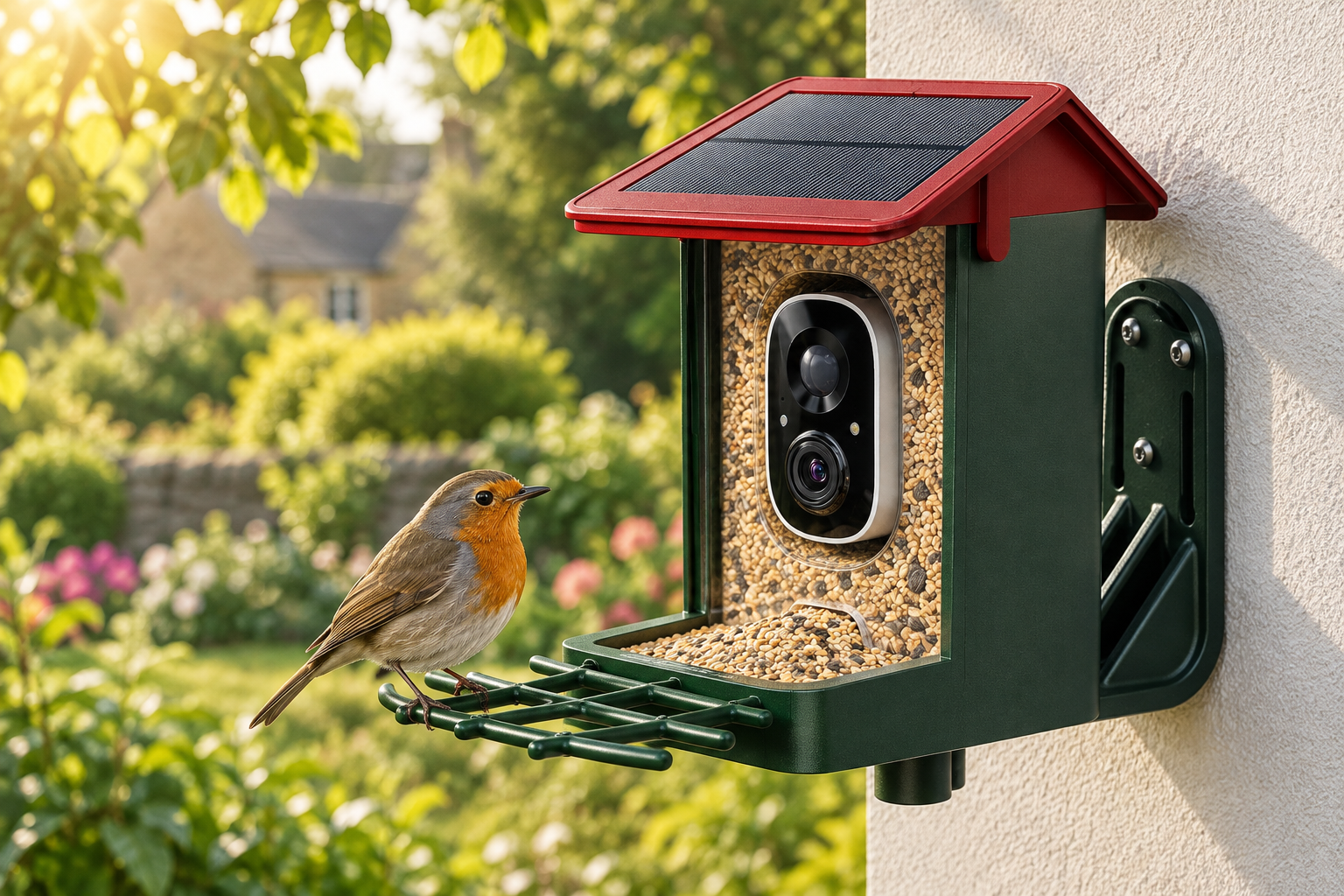
SMALL VISITS. MORE TO DISCOVER.
Watch, recognise and share.
01
See the visitor
Open the companion app for a close-up live view. Select a 2K or 3K version to suit your preferred camera specification.
02
Follow the activity
Motion-triggered notifications help you notice arrivals. Recording and playback depend on your activated service and storage settings.
03
Learn as you watch
AI recognition can suggest the species of a visiting bird. Save favourite moments and share them with family and friends.
A FRONT-ROW VIEW
Feathers, curiosity
and everyday character.
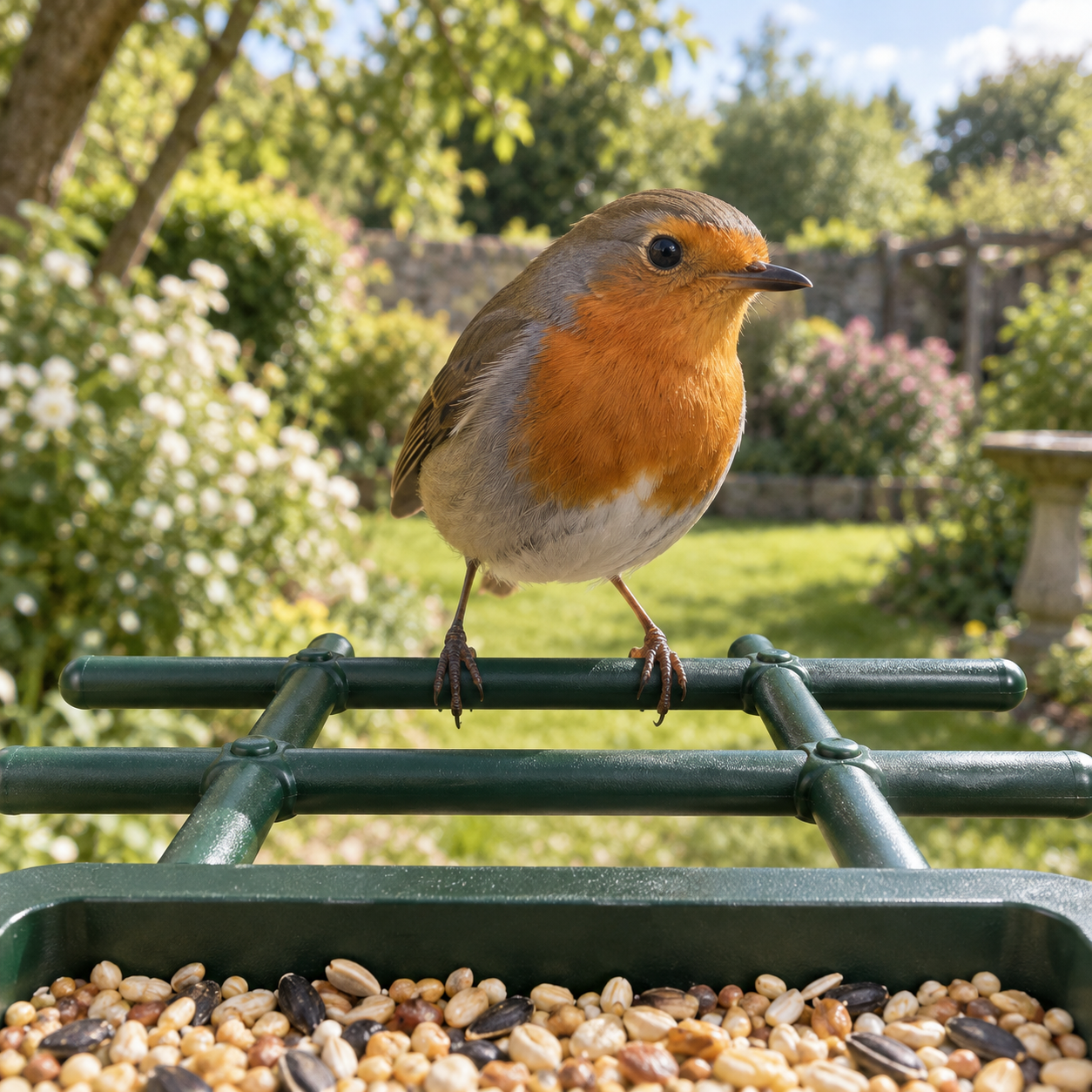
The camera faces the feeding area, bringing small details into view as birds pause on the perch. Watch live from your phone without needing to stand beside the feeder.
AI identification supports recognition of more than 10,000 species. Treat its results as suggestions: lighting, movement and the angle of the bird can affect an identification.
CHOOSE THE RIGHT VERSION
Five options. Two solar designs.
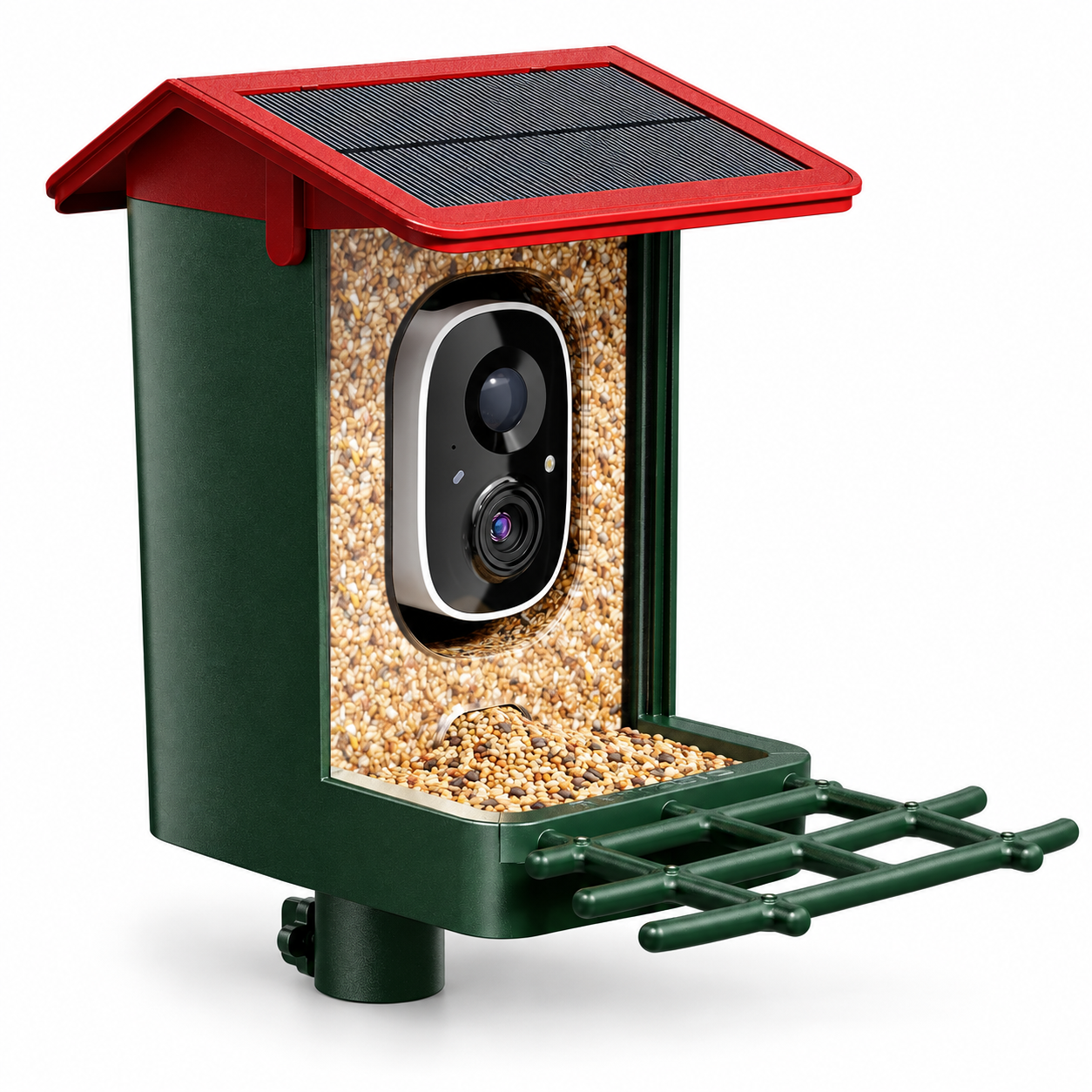
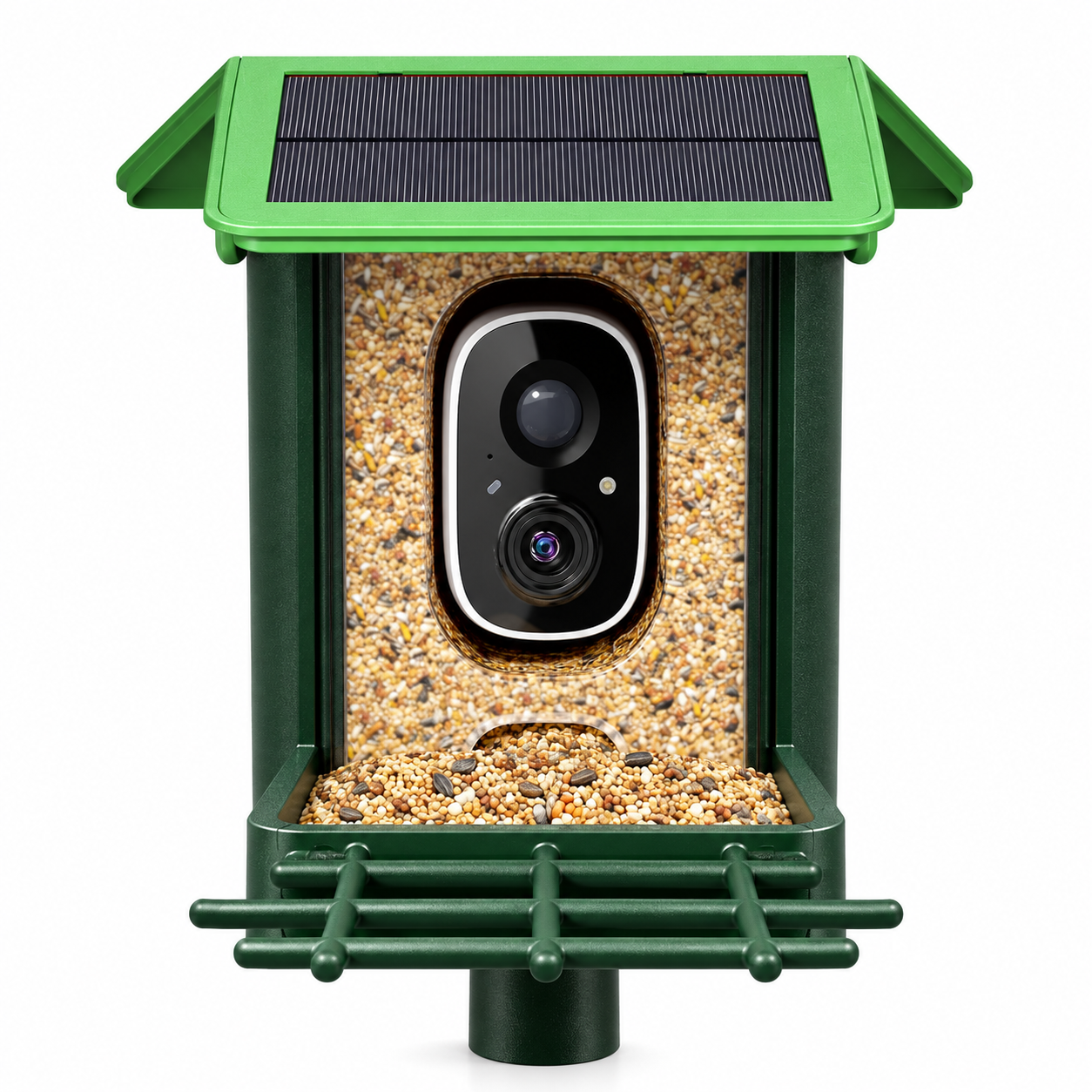
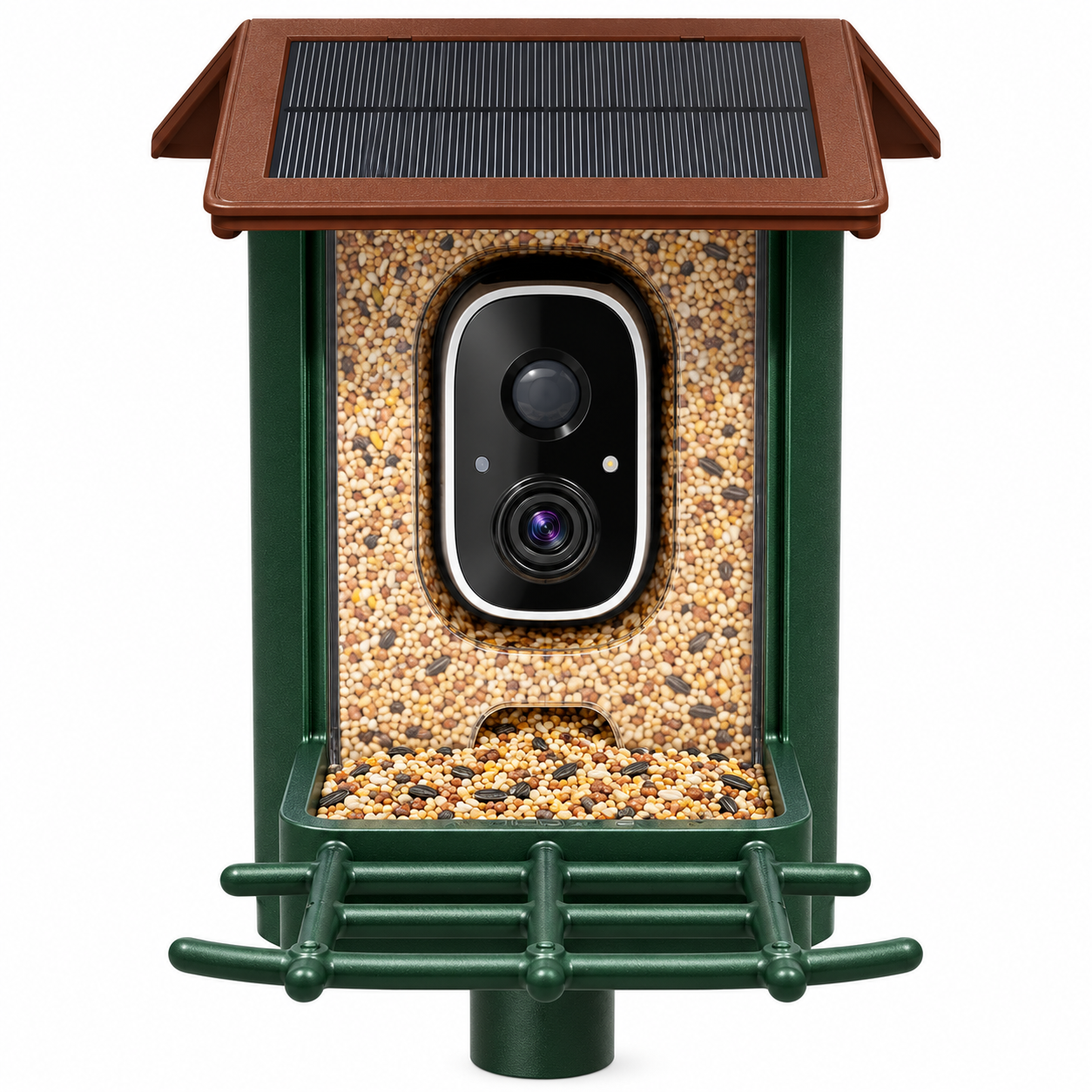
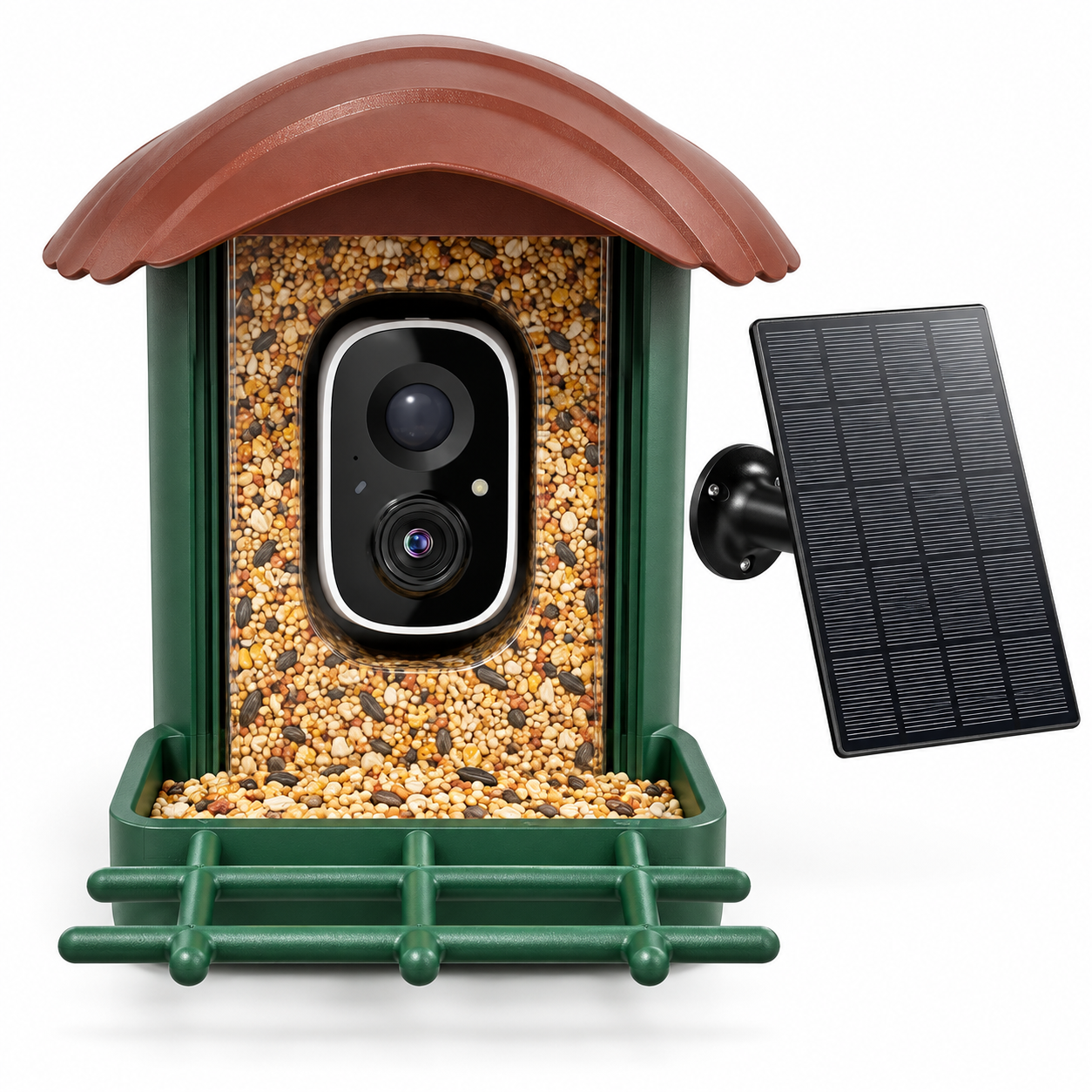
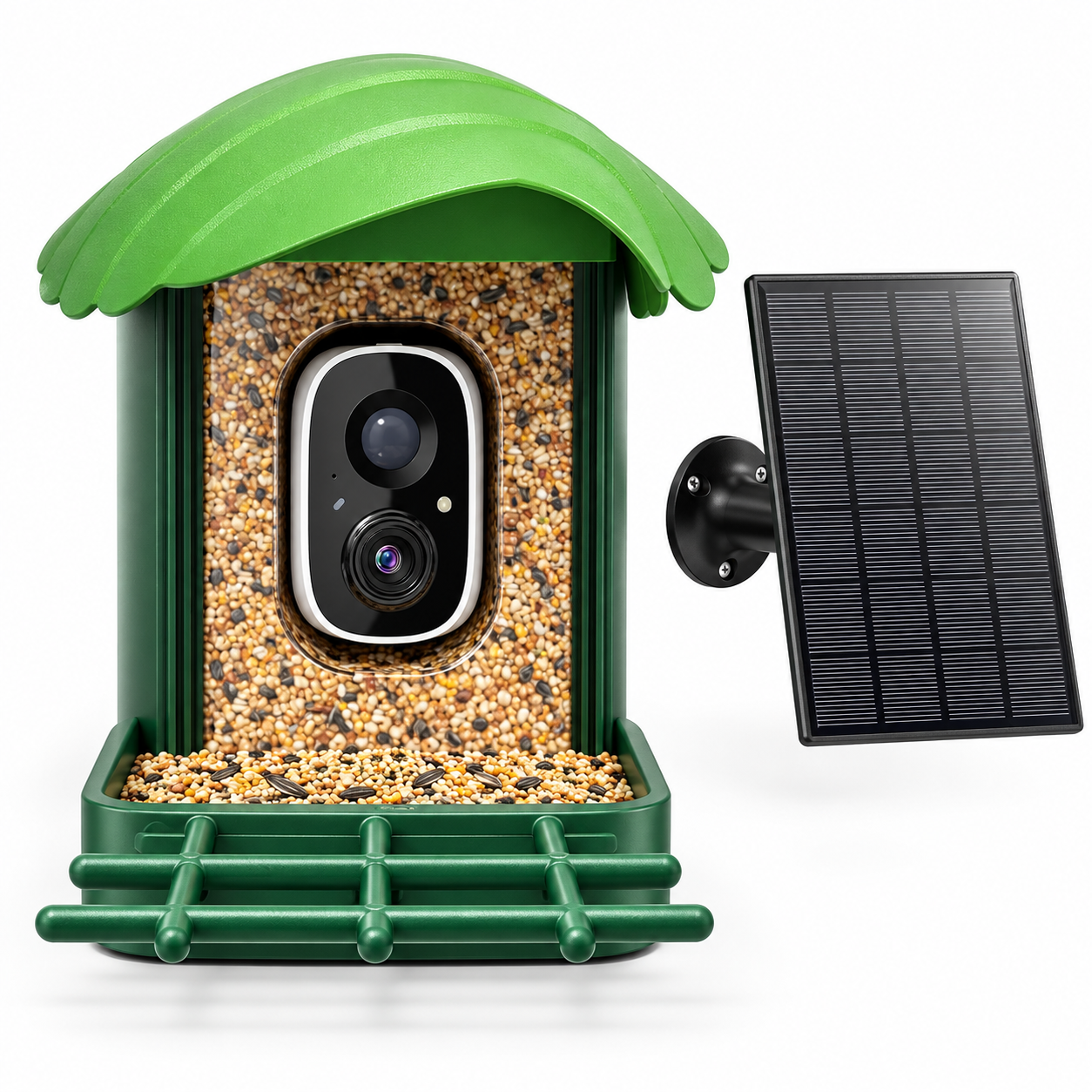
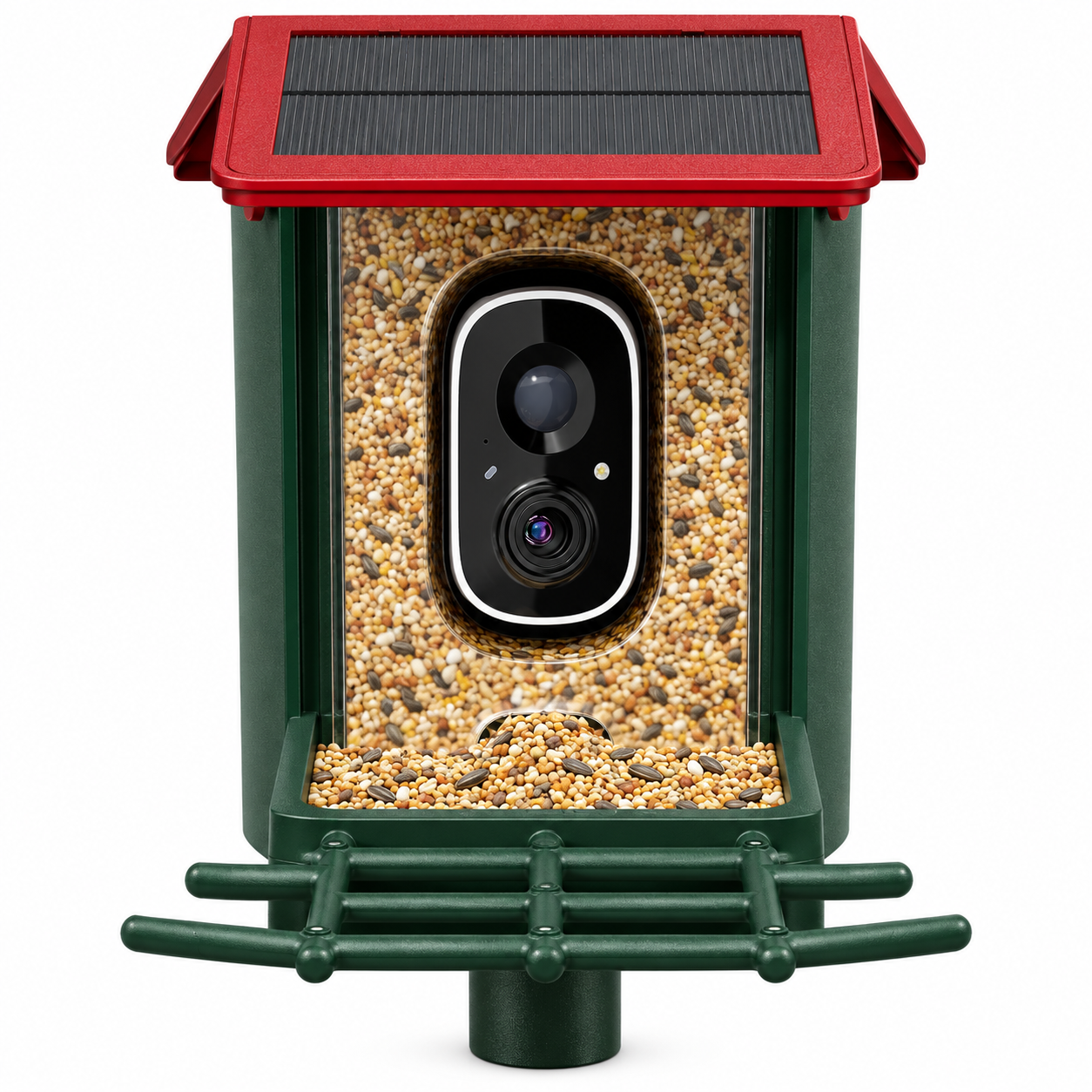
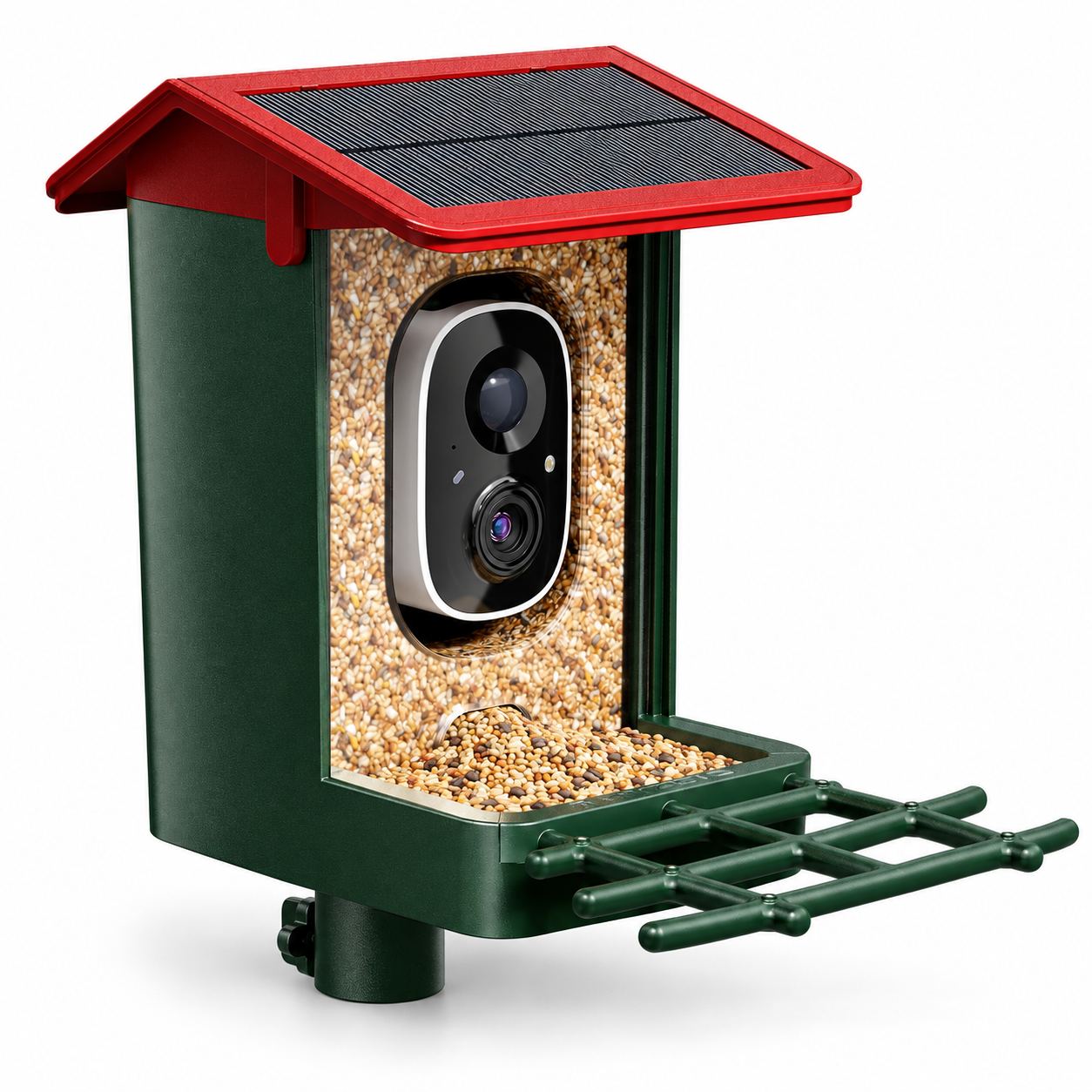
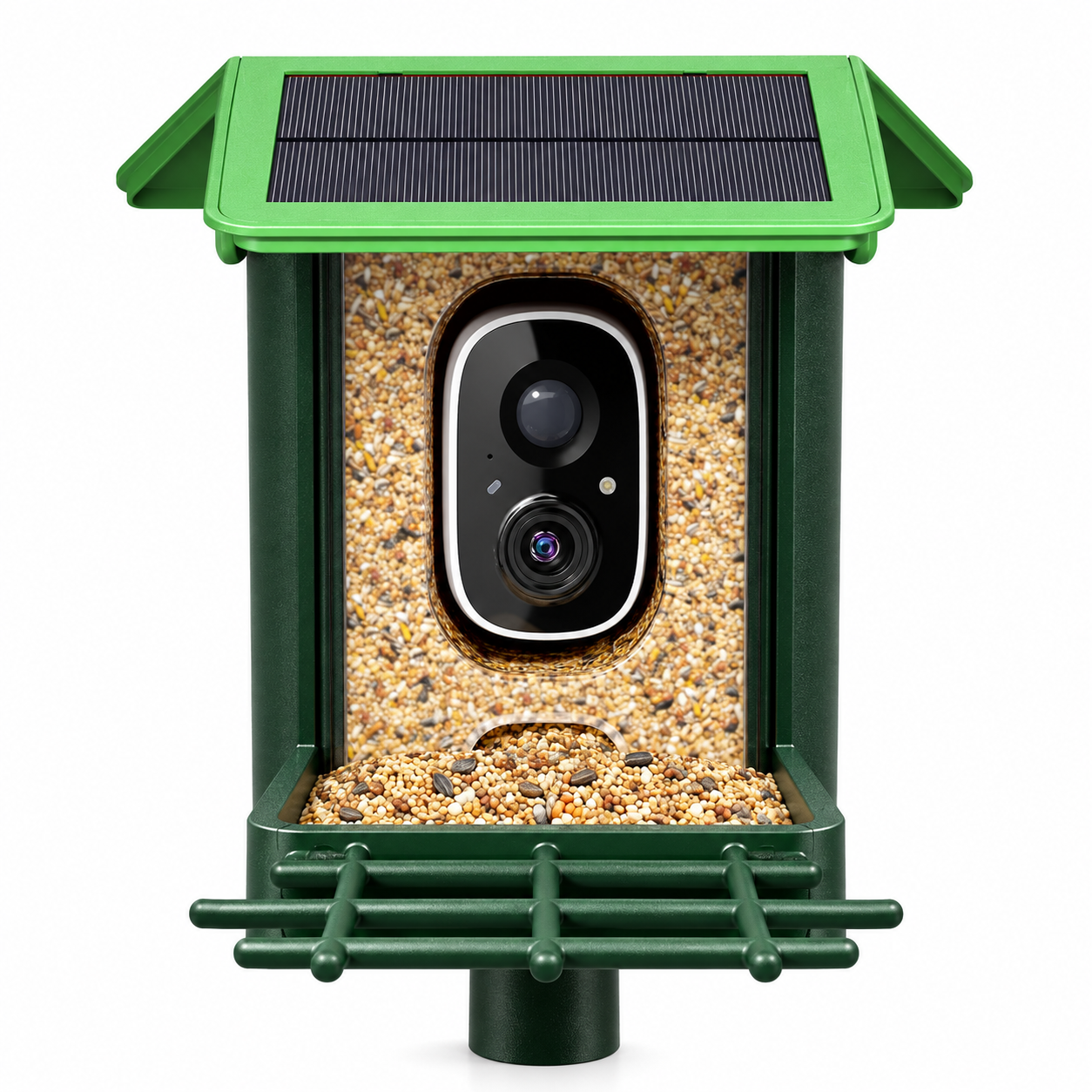
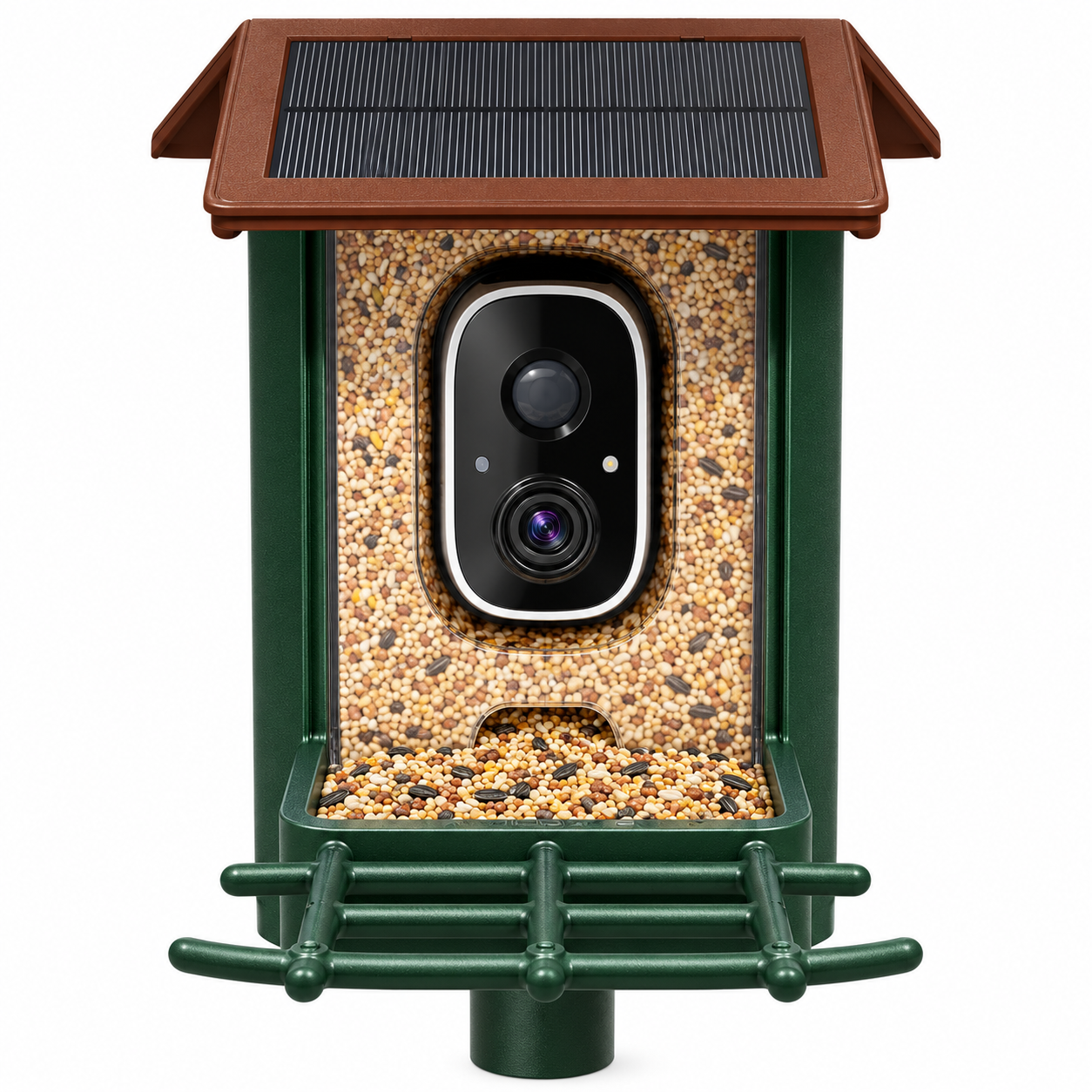
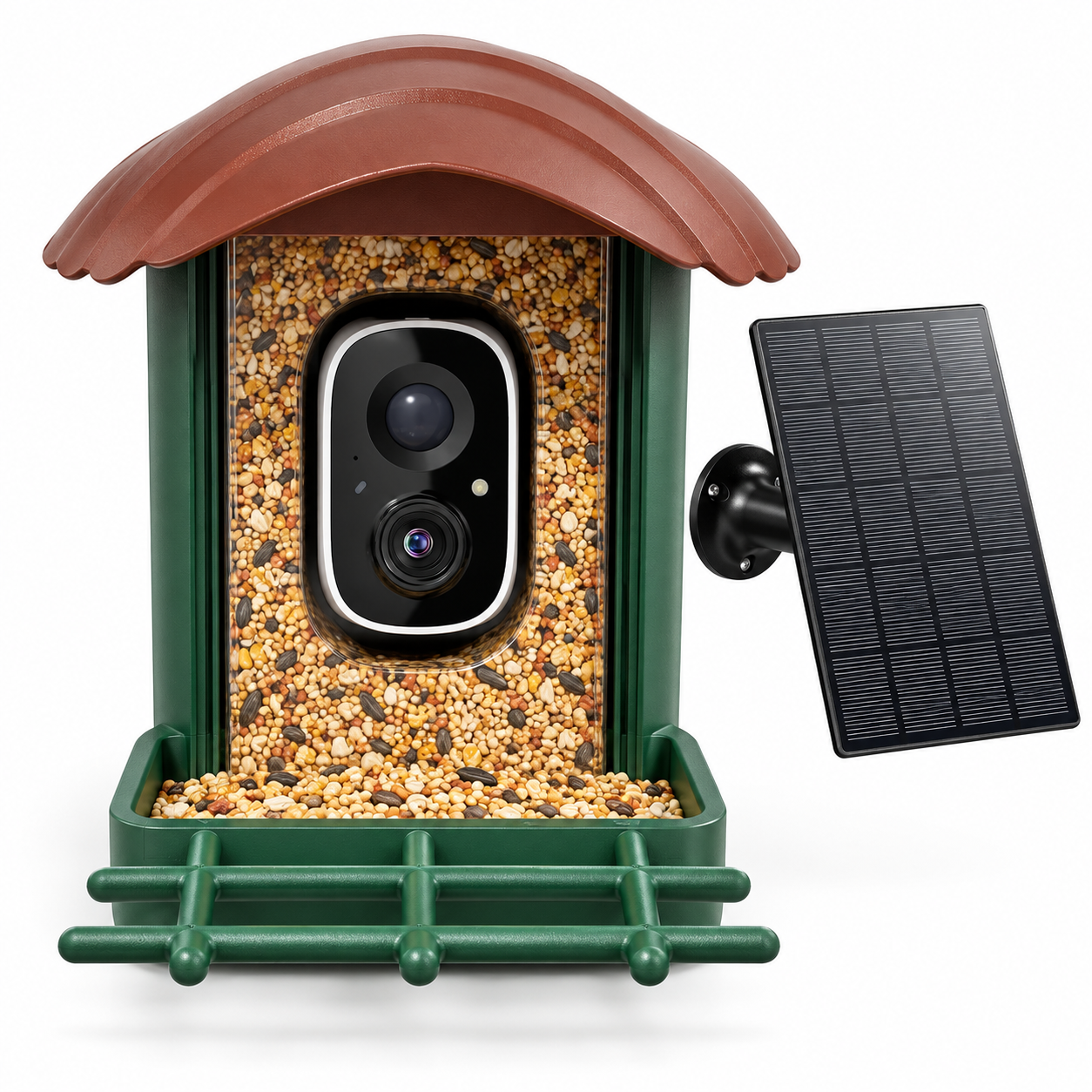
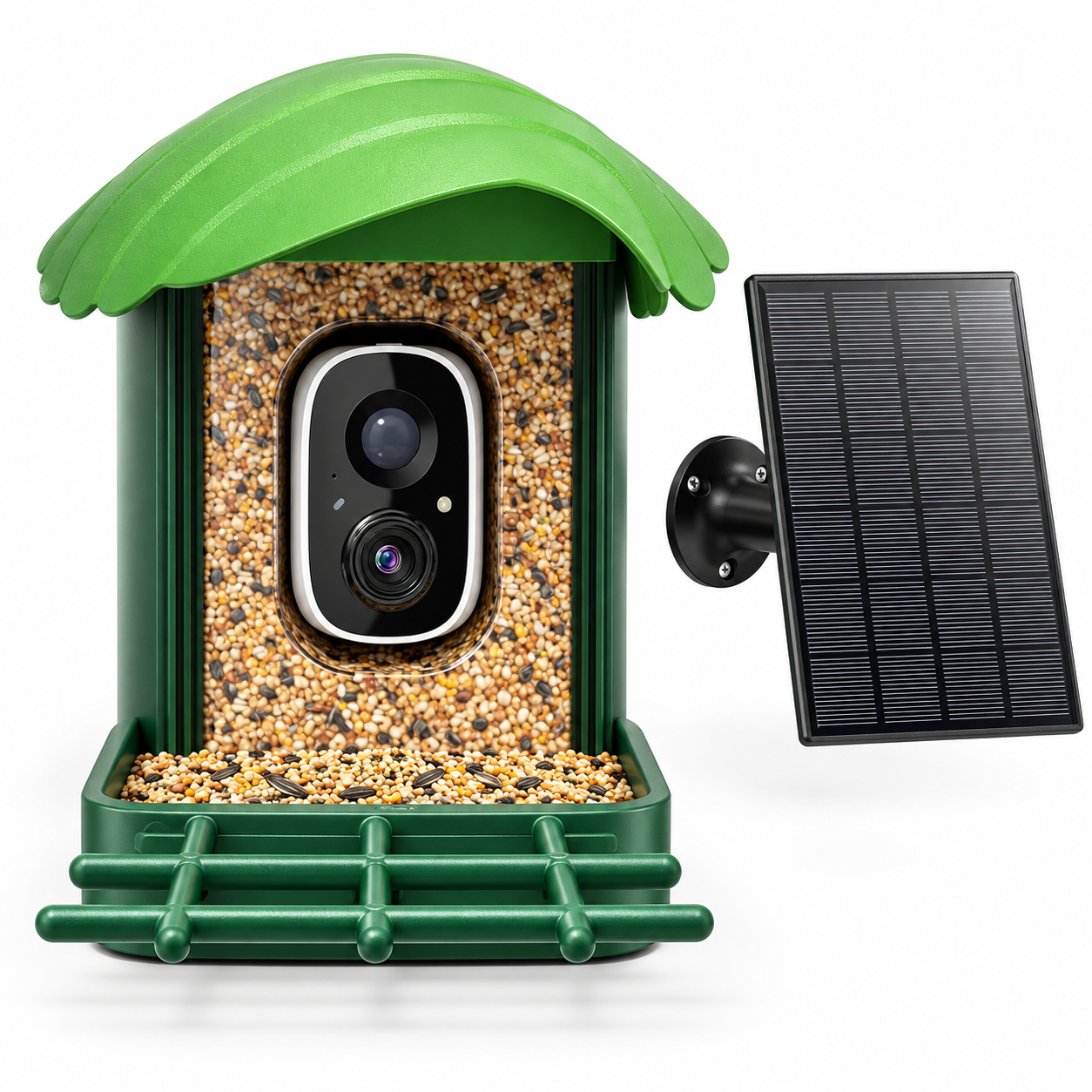
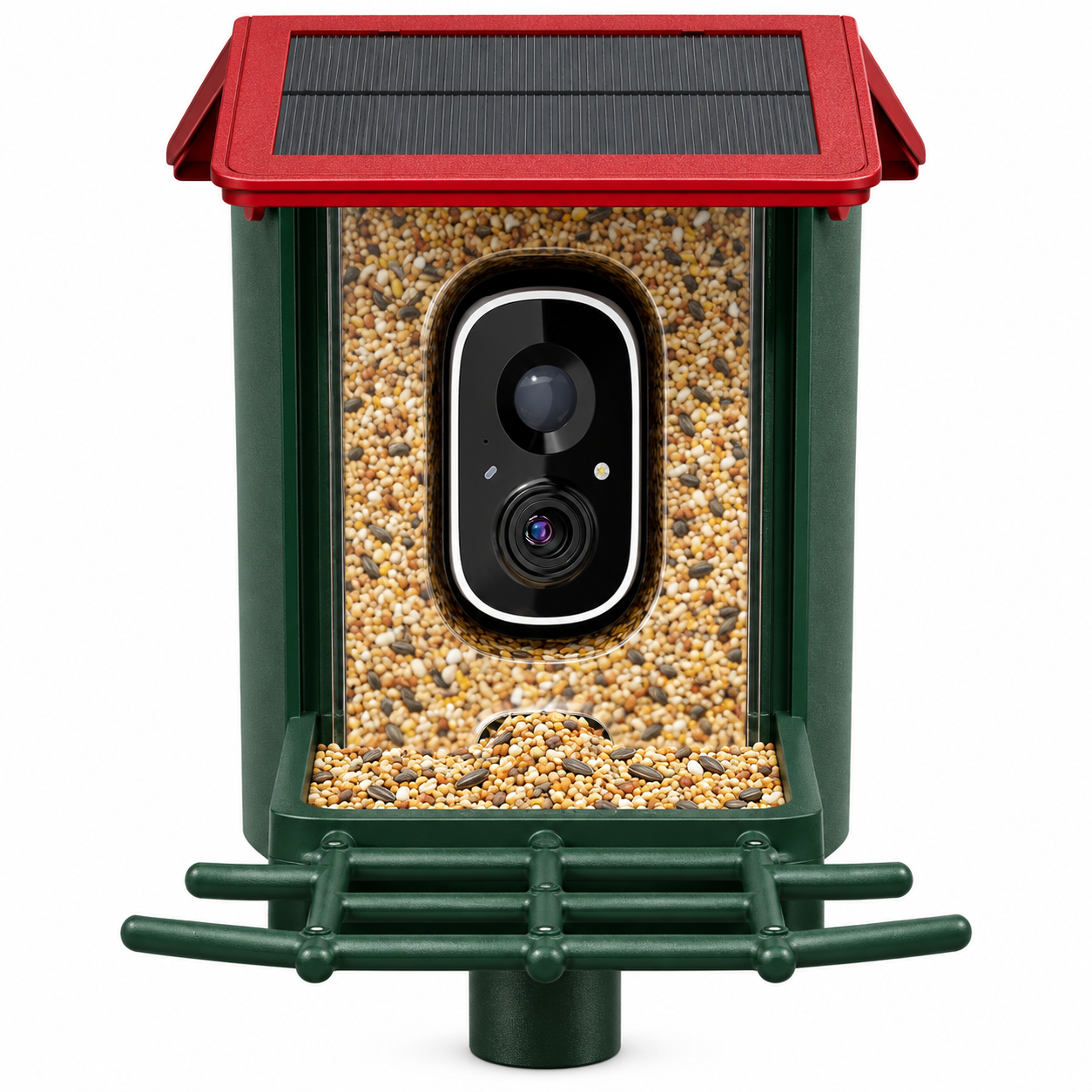
All options have a dark-green body. The colour names describe the roof. The 2K versions use a pitched roof with integrated solar cells; the 3K versions have a curved canopy and a separate solar panel.
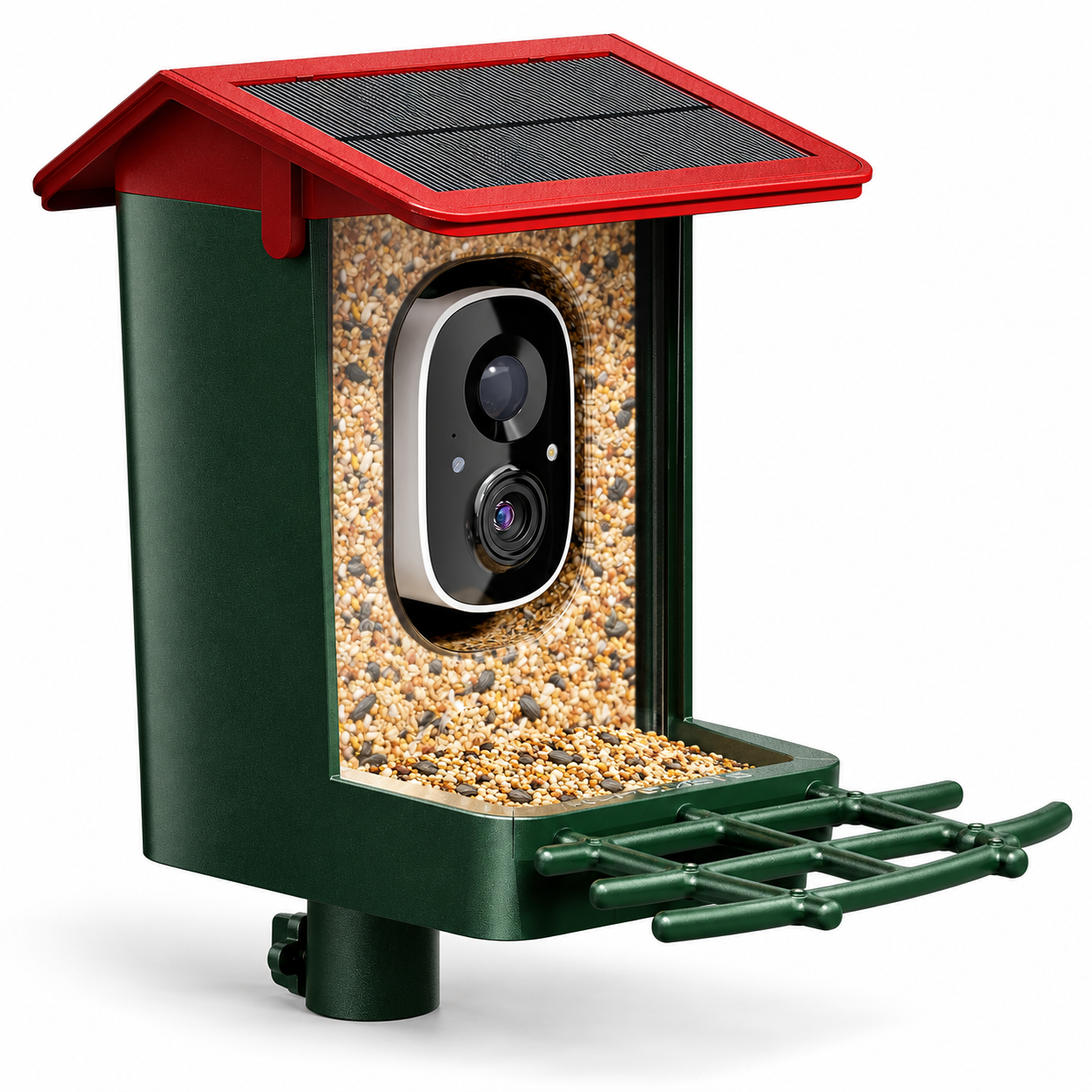
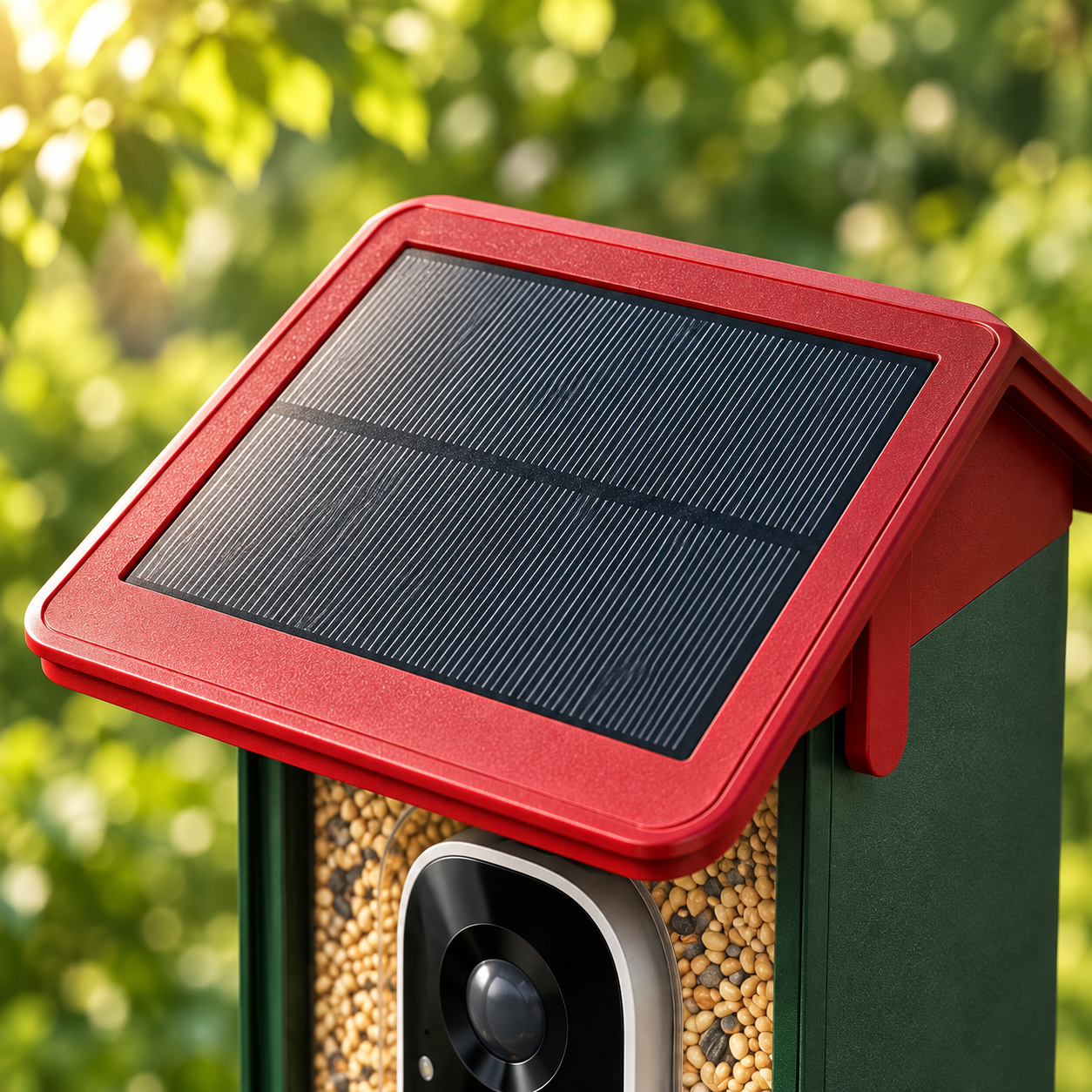
Red / 2K
Pitched roof · integrated solar panel
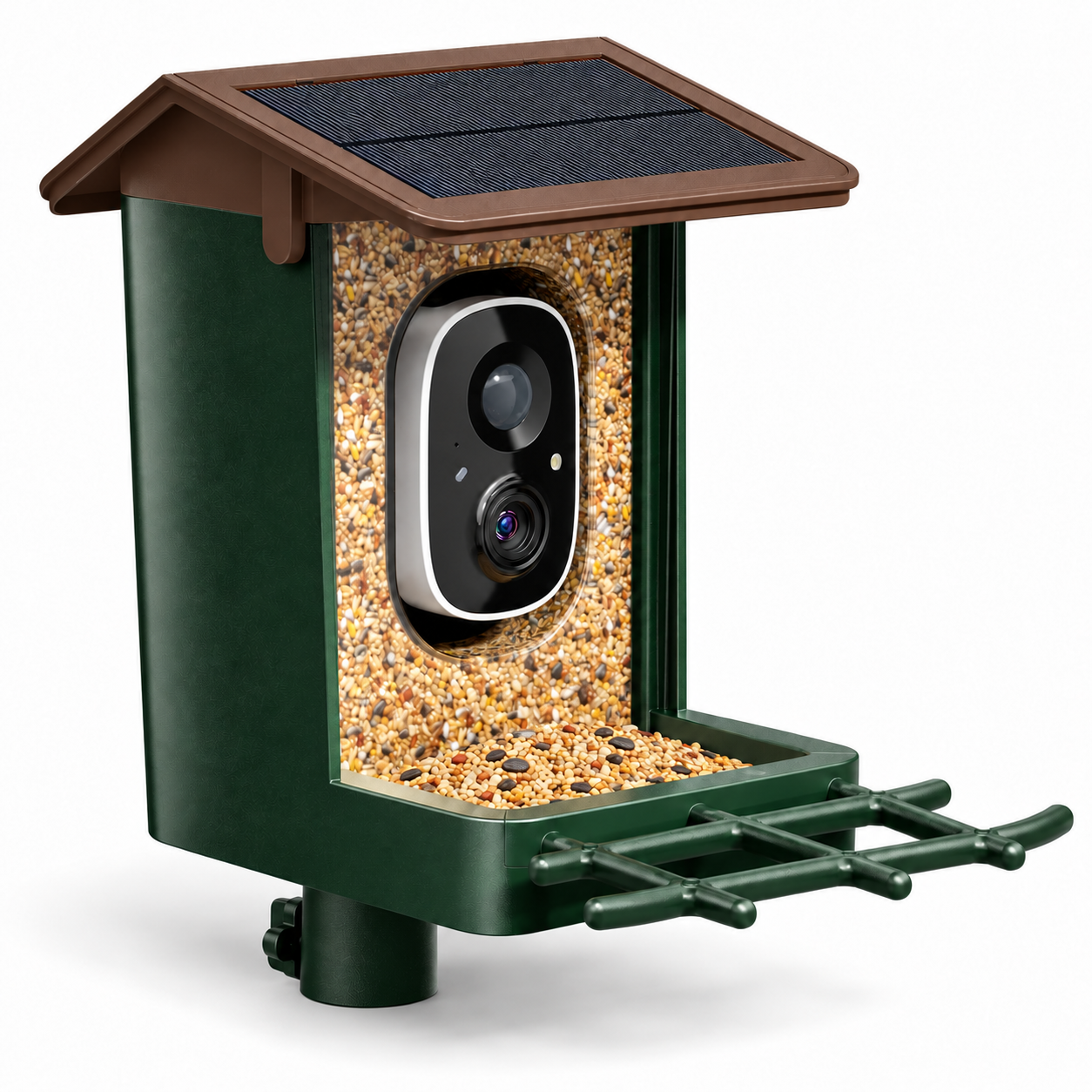
Brown / 2K
Pitched roof · integrated solar panel
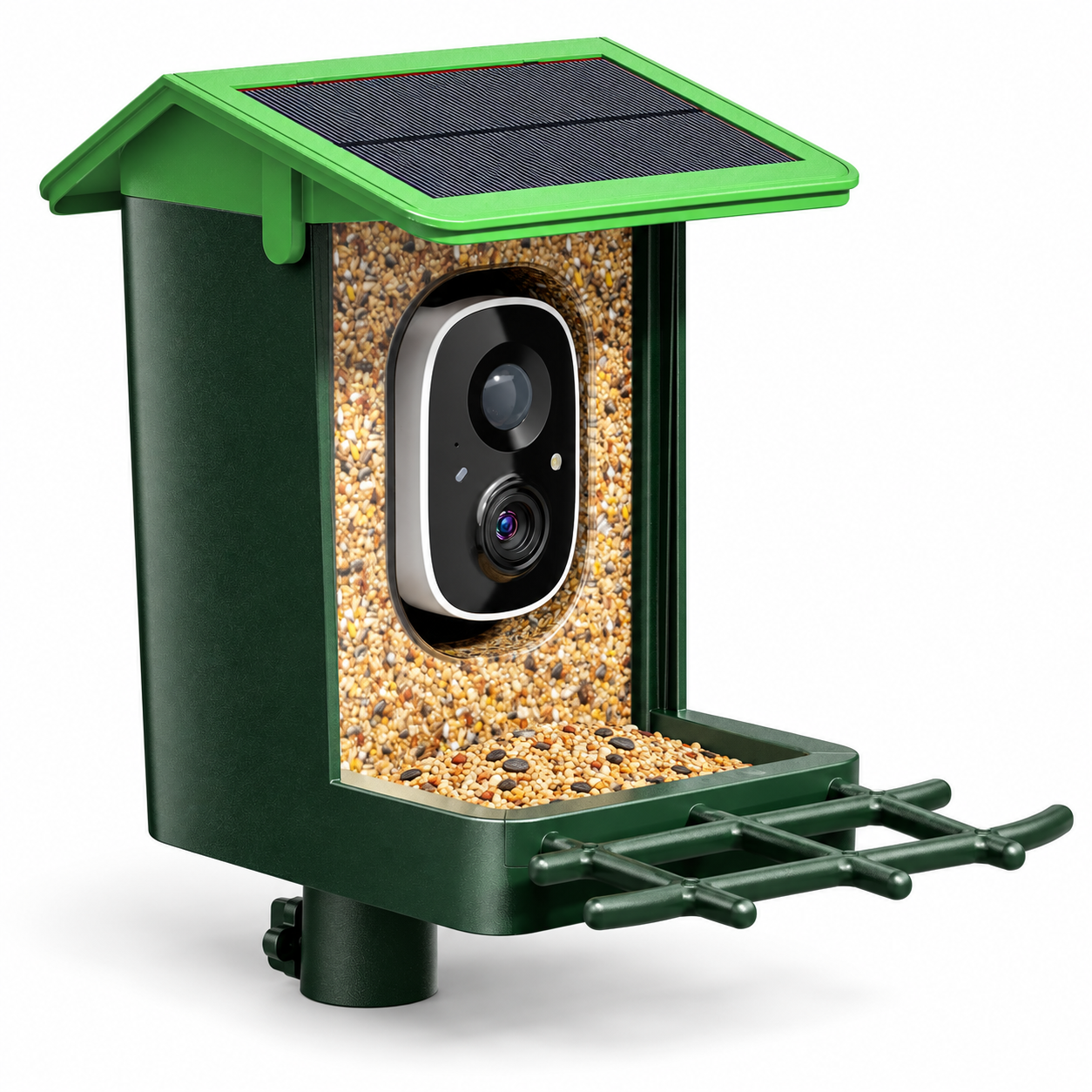
Grass Green / 2K
Pitched roof · integrated solar panel
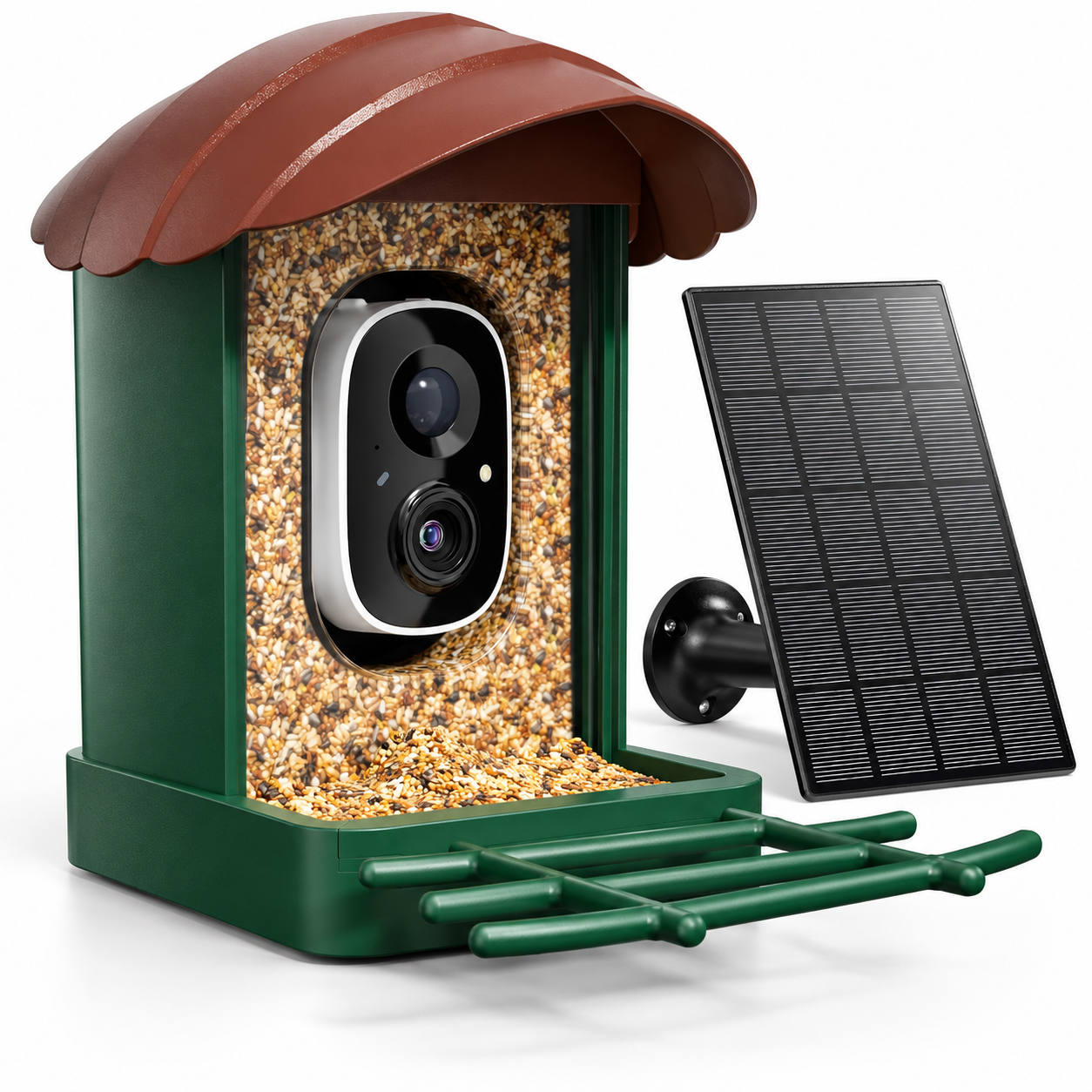
Brown / 3K
Curved canopy · separate solar panel
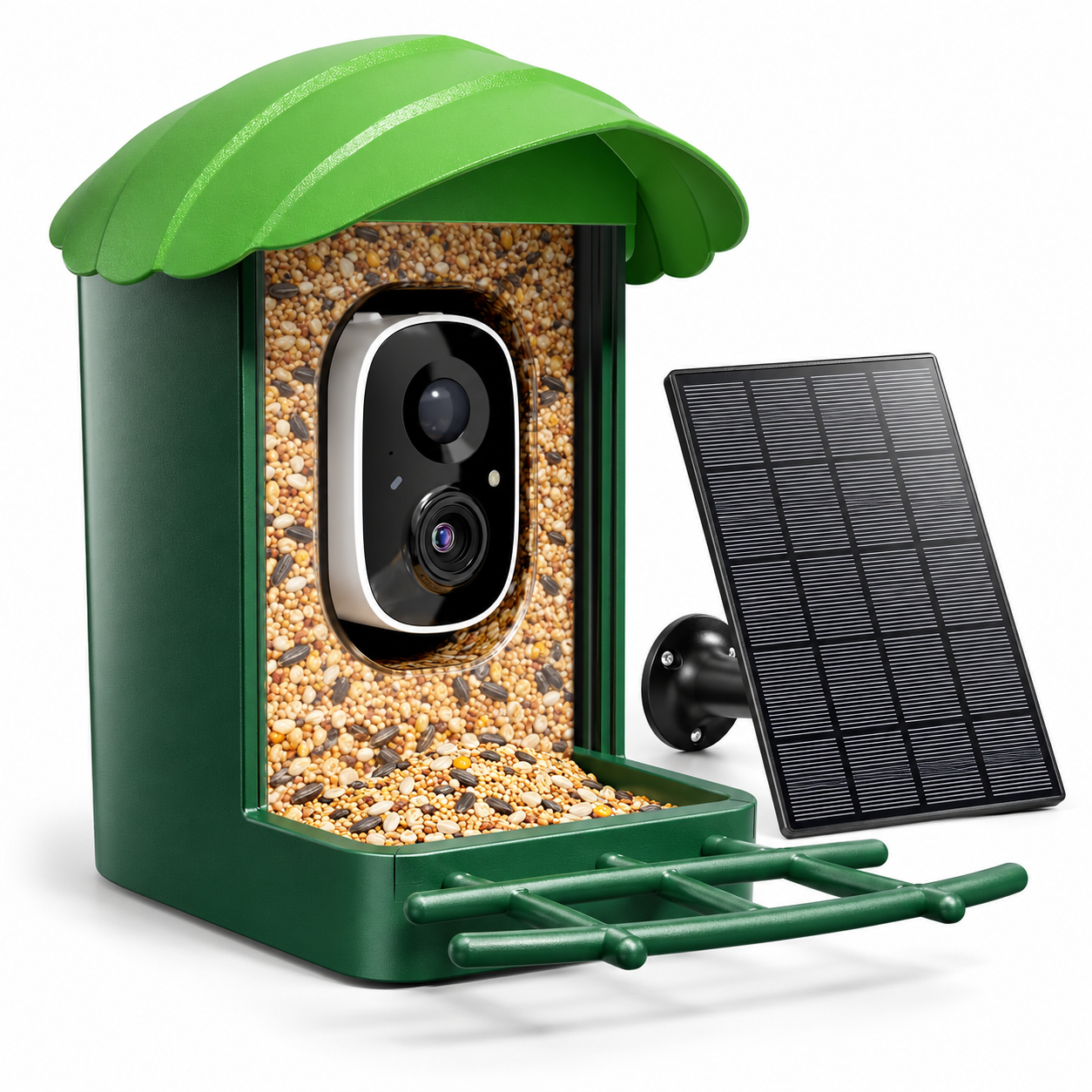
Green / 3K
Curved canopy · separate solar panel
MAKE THE MOST OF DAYLIGHT
Solar charging.
Thoughtful placement.
The solar panel helps recharge the built-in battery between visits. For the 2K models, the panel is part of the roof. With a 3K model, place the separate panel where it can receive direct light.
Fully charge the camera through its USB-C port before the first installation. Choose a sunny position with around four or more hours of direct sunlight a day, and check the battery level during cloudy weather.
Solar performance depends on the season, shading and camera activity. USB-C charging remains useful when sunlight is limited.
A SIMPLE FEEDING ROUTINE
Lift the roof.
Top up and enjoy.
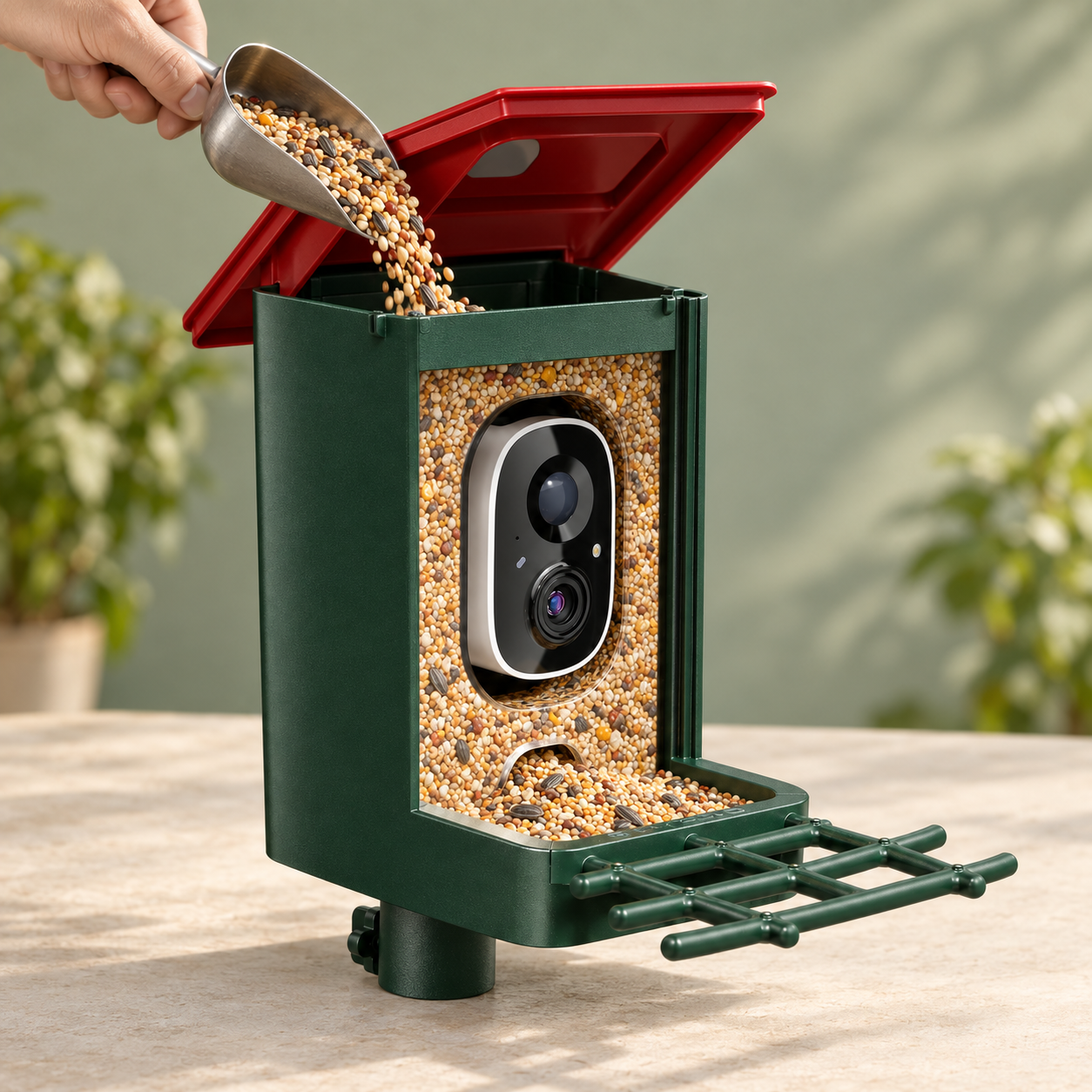
The top-opening seed reservoir makes refilling straightforward, while the clear front lets you see the seed level. A projecting grid perch gives visiting birds a place to settle in front of the camera.
The Red / 2K model has a stated seed capacity of 1.25 L. Refill according to activity and use fresh feed suited to the birds in your area.
Check the tray regularly, remove damp or spoiled feed and keep the feeding area clean. Keep the camera and charging connections dry during cleaning.
BEFORE YOUR FIRST VISITOR
Set up once. Check in often.
01
Charge & pair
Fully charge by USB-C. Install the companion app using the supplied setup instructions and pair on a 2.4GHz Wi-Fi network.
02
Mount & aim
Choose a secure tree, pole or wall position. Check Wi-Fi signal at the feeder, leave the perch clear and aim the solar panel towards daylight.
03
Activate & fill
Follow the in-app Basic Service activation steps for video, configure notifications and storage, then add suitable feed.
APP & STORAGE, EXPLAINED
Know what each service does.
| Live viewing & alerts | Use the companion app with a stable 2.4GHz Wi-Fi connection at the feeder. A 5GHz-only network is not supported. |
|---|---|
| AI identification | One-month trial for eligible new users; a paid monthly or annual plan is required afterwards. Identification is advisory. |
| Video activation | Activate Basic Service under Device Settings → Cloud Service. Redeem a service voucher if supplied with your unit; duration and renewal terms are shown during activation. Video service is not guaranteed free for life. |
| Cloud playback | The advertised basic playback window is a rolling three days, subject to an active eligible service. Longer history and additional features may require a paid plan. |
| Memory card | Local card storage supports up to 128 GB. A memory card is not included. Follow the app and supplied instructions for recording setup. |
Service offers, availability and fees are controlled by the app provider. Check the activation screen for the plan attached to your unit before starting a subscription.
AT A GLANCE
The useful specifications.
| 2K choices | Red / 2K, Brown / 2K, Grass Green / 2K — pitched roof with built-in solar panel. |
|---|---|
| 3K choices | Brown / 3K, Green / 3K — curved canopy with separate solar panel. |
| Wireless connection | 2.4GHz Wi-Fi; companion app required for connected features. |
| Power | Solar charging and rechargeable battery; USB-C charging connection. Charging time and runtime depend on conditions. |
| Outdoor construction | Weather-resistant housing. The 3K listings specify IP65; no IP rating is asserted here for the 2K models. |
| Seed capacity | Red / 2K: 1.25 L. Capacity is not generalised to the other versions. |
| Mounting | Tree, pole or wall installation, using suitable mounting hardware for the chosen surface. |
WHAT TO EXPECT
A feeder ready for your own garden routine.
The product set includes the feeder body with camera, the roof or canopy, its solar panel configuration, a USB-C cable and setup accessories. The panel is integrated into the 2K roof and separate on the 3K versions.
The source product sets also show feeding attachments for fruit, suet and liquid feed. Use attachments only with food appropriate to your local birds. Seed, other bird food, a memory card, smartphone and installation surface are not included.
A FEW GOOD QUESTIONS
Before you place it outside.
Does every colour have the same camera?
No. Red, Brown and Grass Green are available here as 2K options. Brown and Green are also available as 3K options with a different canopy and a separate solar panel. Select the full colour / camera label when ordering.
Will solar charging work in winter?
The panel can recharge the battery when it receives sufficient sunlight, but shorter days, shade and heavy use reduce charging performance. Check battery levels and use USB-C charging when needed.
Why can I see photos but not recorded video?
The listing instructs users to activate Basic Service in the app. Open Device Settings → Cloud Service, check the plan for your unit and redeem a voucher if supplied. Also check recording and storage settings.
Is AI bird recognition free permanently?
No. Eligible new users are offered a one-month trial. Continued AI identification requires a subscription; current monthly and annual options are shown in the app.
Does it work on a 5GHz-only Wi-Fi network?
No. The camera requires a 2.4GHz Wi-Fi connection. Check signal strength at the intended outdoor mounting position before installing it.
Will birds arrive immediately?
Arrival time depends on local bird activity, placement, food and season. Give birds time to become familiar with the feeder, keep food fresh and avoid frequently disturbing the feeding area.
Make room for the next visitor.
Choose your roof colour and camera version, find a sunny spot with Wi-Fi coverage, and enjoy a closer view of everyday garden life.